How to Edit PDFs for Work Without Paying for Software

Work moves fast, and PDFs show up everywhere. Proposals, contracts, onboarding forms, reports, invoices and meeting notes often arrive as PDFs because the format is consistent across devices. The problem is that consistency sometimes comes with rigidity. You can read a PDF easily, but editing it can feel like trying to write on glass.
That is why a free PDF editor is so valuable for professional life. It helps you keep projects moving without waiting for someone else to fix a file. You can correct small issues, add missing details, or prepare documents for clients and teammates. You do not need a design suite to do practical edits. You need an editor that supports everyday business tasks.
How to Start
Start with the types of edits you do most often. Many professionals mainly need to add text, insert dates, and sign documents. Others need to remove pages, combine multiple PDFs into a single package, or mark up a draft for review. Once you identify your most common needs, you can choose a tool that does those tasks smoothly.
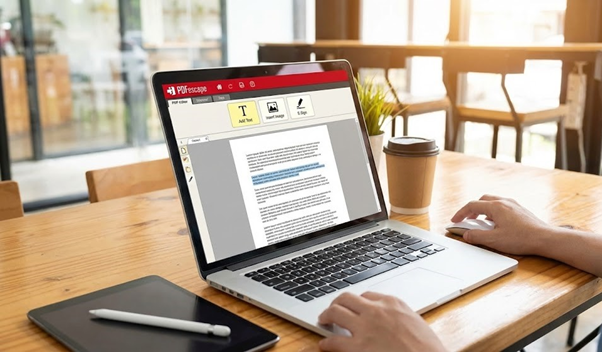
A strong free editor should handle text insertion cleanly. You should be able to click on a page, type, adjust font size and move the text box to the exact spot. This matters for forms and for small corrections. If your tool makes text placement awkward, you will waste time aligning everything.
Signing is another major feature. Digital signatures can be done in different ways. Some editors support drawing a signature with a mouse or finger, uploading an image, or generating a signature font. In a work context, speed matters. If you sign documents regularly, pick an editor that saves your signature for reuse.
Marking up PDFs is part of collaboration. If you review contracts or proposals, you need highlights, comments, and possibly stamps like approved or rejected. A practical professional PDF edit workflow often starts with annotation and ends with a clean final version that incorporates the changes. Your editor should let you export a version that keeps comments if needed or flatten them into the final document.
Page management is where a good editor can save serious time. Merging files is common when you are creating a client packet or combining receipts for reimbursement. Reordering pages is essential when documents arrive out of sequence. Removing blank pages makes a PDF look polished. These are small things, but they reflect professionalism.
If you work with scanned PDFs, you may need OCR. OCR recognizes text in scanned images and turns it into searchable and selectable text. Even if you cannot fully edit the scanned content, OCR helps with searching, copying key lines, and indexing documents for future reference. For example, finding a specific clause in a scanned contract becomes possible.
File size is another business concern. Clients may not accept large attachments, and internal systems may reject big uploads. Compression reduces size, and a good editor gives you options so you can balance quality and weight. Be careful with aggressive compression on documents that include charts or small print.
Security matters at work. If you use an online editor, you are uploading documents to a website. For sensitive documents, confirm whether the site uses encrypted transfers, how long files are retained, and whether the company shares data. Some tools claim they delete files automatically after a short period. If you cannot verify those claims, consider an offline editor.
Online tools still have a place in professional settings, especially when you are on a temporary device or a locked down work laptop where you cannot install apps. A browser based editor can be a lifesaver during travel or when you are helping a teammate troubleshoot a document quickly.
See also: Preparing Your Home Move: 8 Things Your Home Removalist Sydney Will Thank You For
When selecting a site, look for a reliable tool website platform with a clean interface and minimal distractions. You want a place where the upload process is clear, the editing tools are obvious, and the export options make sense. A cluttered site increases mistakes, and mistakes cost time.
It also helps to think about consistency. If you work on a team, using the same tool can reduce friction. Everyone knows where the merge button is, how to add comments, and how to export. If your team shares templates, consistent editing prevents formatting surprises.
One more practical tip is version control. Always save the original PDF separately, then save your edited version with a clear naming convention. Add a date or version number. This is especially important for contracts or documents that may be audited later.
Conclusion
Finally, remember that free tools often have limits. They may cap the number of pages, restrict OCR, or add watermarks in some cases. That does not automatically make them bad. It just means you should test with the kind of files you actually use at work. If the free tier covers your needs, you can stay productive without paying.
With the right free PDF editor, you can handle the daily reality of business documents and keep your workflow smooth. You spend less time wrestling with file formats and more time doing your real work.
Meta description: Learn how to edit PDFs for work using a free PDF editor. Explore text editing, signatures, OCR, page management, compression and security tips for a smoother professional workflow.